
Via Easy Pay
SMS program & consent
Public URL: https://viaeasy.com/sms
What you will receive
When you choose to send a payment link by SMS (Send Via Easy), we may send one transactional SMS to the number you provide. The message is intended to deliver a Via Easy Pay payment link or related status information for that request.
This is not a marketing or promotional program. We do not sell your phone number, and we do not use it for third-party advertising.
Consent (US / A2P 10DLC)
You should only send SMS to recipients who have provided appropriate consent to be contacted for this purpose, and you should have a lawful basis to message that number. In the product, you will be asked to confirm you have permission to message the recipient before the SMS is sent.
By proceeding with Send Via Easy SMS, you represent that you are authorized to send the message to the recipient and that the recipient has not opted out of receiving this type of message.
Message frequency and rates
Frequency: typically one SMS per send action, plus rare follow-up transactional messages if needed to complete the same request.
Costs: message and data rates may apply. Carriers are not liable for delayed or undelivered messages.
Opt-out and help
Recipients (after a message is sent): Someone who has already received an SMS from this program can text STOP to stop further messages (where supported by the carrier and message type). After that, they will not receive more SMS from this program unless they clearly agree again. For help, they can text HELP (or use the contact information below).
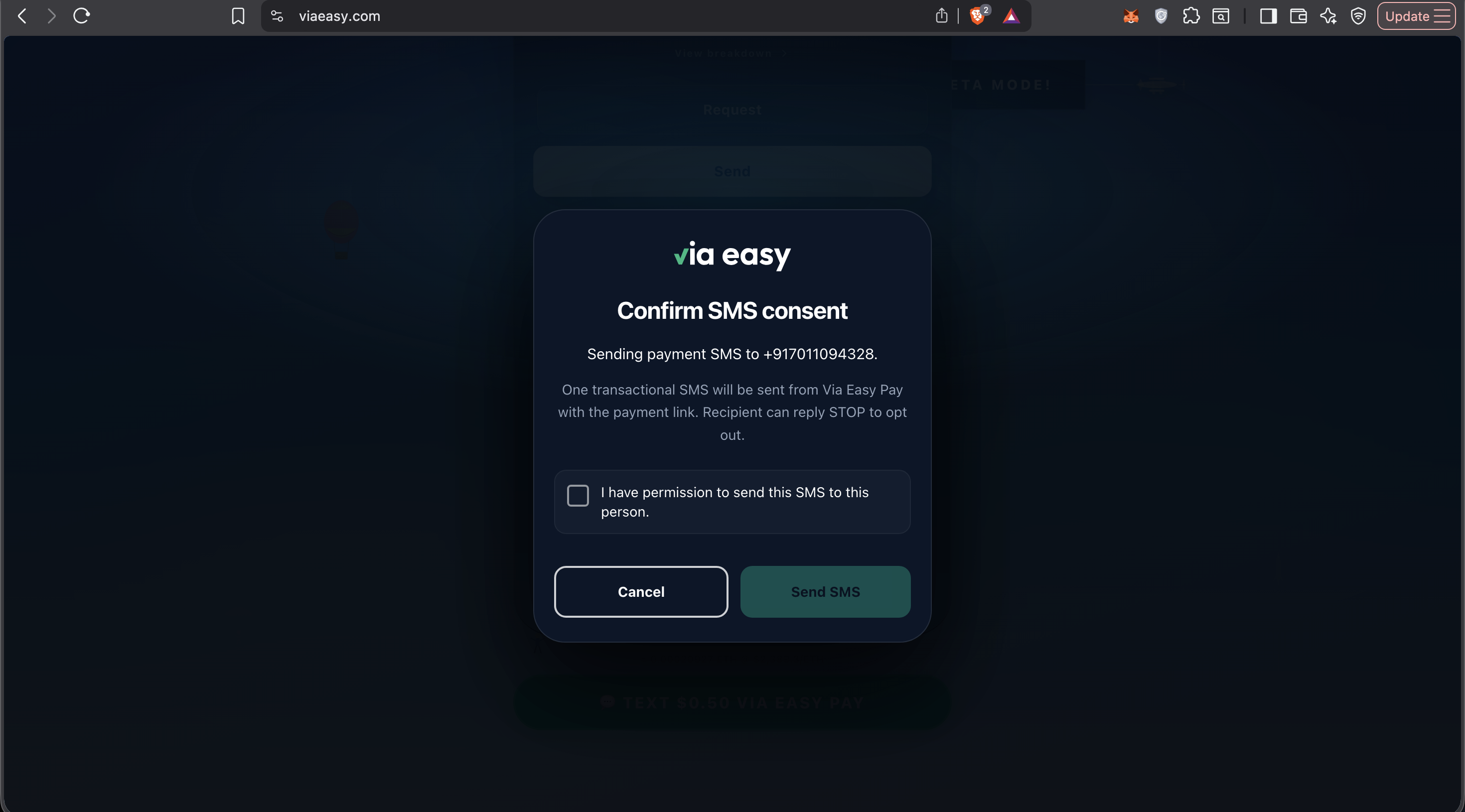
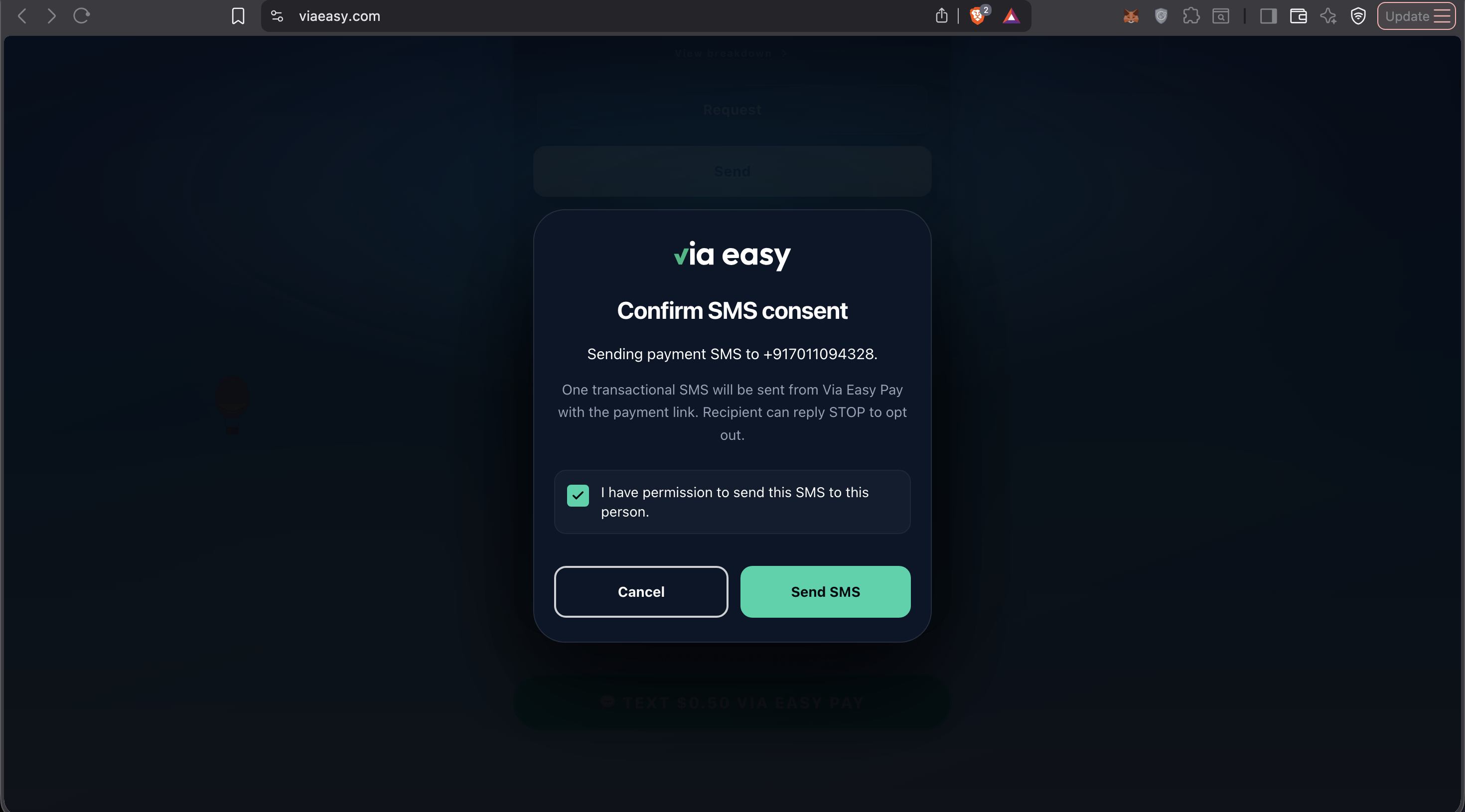
Senders (before any SMS is sent): An SMS is only sent after you finish the in-app "Confirm SMS consent" step. If you leave "I have permission to send this SMS to this person" unchecked, Send SMS stays disabled—no message goes out. That is you choosing not to send, not the same as a recipient texting STOP. Tap Cancel to close the dialog without sending.
In-app notice (mirrors this page)
The modal shows the same disclosure as this page: one transactional SMS with the payment link. The line about replying STOP applies to the recipient after they get the text—it is not what happens when you leave the permission box unchecked. Leaving that box unchecked only means you have not confirmed you may send, so the app will not send (as in the first screenshot: Send SMS stays inactive until you check the box).
Contact
For support related to SMS delivery or this program, contact Via Easy Pay through your normal support channel or the contact information published on https://viaeasy.com.
Policies
For additional terms, see our public legal documents, including Privacy Policy and Terms of Service, linked from the site footer.
This page is provided for transparency and carrier / compliance review. Program details may be updated as Via Easy Pay expands messaging coverage.